
B2B Suite
Four small, composable Maho modules that together deliver a wholesale / trade-account experience: gate access to prices and products, turn a trade-application form into a pending customer account, manually approve new signups, and build the trade-application form itself.
Each module has one job. Nothing is a monolith; you install only what you need. All four work on a stock Maho storefront out of the box, and expose their state over the API so a headless storefront (like this one) can render the same behaviours.
The four modules
| Module | Package | What it does |
|---|---|---|
| B2B Access | mageaustralia/maho-module-b2b-access | Access + visibility gate. Require login to view the store, hide prices with a "Log in to see pricing" message, block purchasing, all scoped by customer group / category / store. |
| Customer Approval | mageaustralia/maho-module-customer-approval | New registrations land in pending. Admin approves / rejects from a grid; approval / rejection emails go out; pending customers cannot log in. |
| Custom Forms | mageaustralia/maho-module-custom-forms | Form builder with an anti-spam pipeline (honeypot, min-fill time, rate limit, optional captcha). Forms embed on any CMS page via a Maho block directive (see the embed section below). Also exposes a headless render + submit API. |
| B2B Registration | mageaustralia/maho-module-b2b-registration | Wires the three above together: a Custom Forms trade-application submission becomes a pending customer account (via Customer Approval), and on approve the customer is auto-assigned to a nominated B2B customer group. |
They compose like this:
             Custom Forms  ─────┐
                                │  (trade-application submission)
                                ▼
                      B2B Registration
                                │  (create customer + application record)
                                ▼
                      Customer Approval  ─────►  admin approves / rejects
                                │
                                ▼  (on approve: assign to B2B group)
                      B2B Access  ─────►  visibility + pricing rules per group
You can install any subset — B2B Access alone is useful ("log in to see pricing" for a whole site), and Customer Approval + Custom Forms work without a B2B group (they gate account creation for any signup path, not just trade applications).
B2B Access
Path: System → Configuration → Customer → B2B Access
The single most-requested B2B feature and the cleanest standalone win: guests (or specified groups) see "Log in to see pricing" and cannot add to cart.
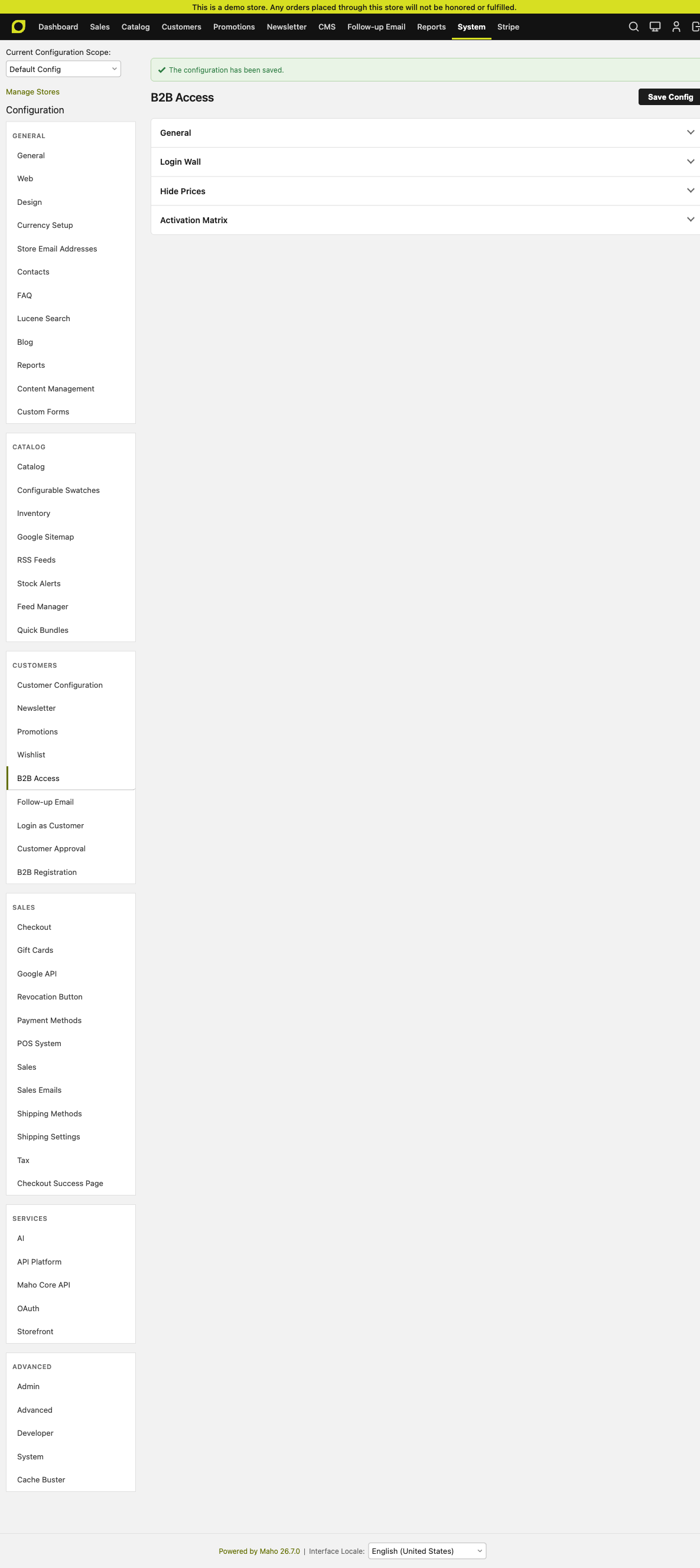
Config surface
| Group | Field | What it does |
|---|---|---|
| General | Enabled | Master switch. When off, the module is inert. |
| Login Wall | Require login to view store | Redirect guests away from every page (except the login/registration wall itself and any exempt CMS pages). |
| Login Wall | Redirect guests to | Which CMS page (or the default login page) unauthenticated visitors land on. |
| Login Wall | Notice shown to guests | The message that renders on the redirect target. |
| Hide Prices | Hide prices | Replace every price block with the message below. |
| Hide Prices | Hidden-price message | e.g. "Log in to see pricing". |
| Hide Prices | Block purchasing too | Belt-and-braces: also refuse add to cart server-side. Hiding the button alone is bypassable via a crafted URL. |
| Activation Matrix | Gate by customer group | The gate applies to specific groups (e.g. guests only). |
| Activation Matrix | Customer groups | Multiselect. NOT LOGGED IN = guests. |
| Activation Matrix | Gate by category | The gate applies to specific categories (subcategories inherit). |
| Activation Matrix | Category IDs | CSV of category IDs. |
The matrix is OR-combined: if a customer OR a product's category matches, the gate fires. A product in any gated category is gated everywhere — this is intentional but worth calling out to admins.
Server-side enforcement
Everything the module does is observer-driven:
controller_action_predispatch— login-wall redirectcore_block_abstract_to_html_after— replace price blockscatalog_product_type_prepare_full_options— reject unauthorised add-to-cartcore_block_abstract_to_html_before— drop the "Sort by price" toolbar optioncore_layout_block_create_after— drop the price filter from layered nav
Nothing is JS-side — a crafted URL cannot bypass it.
Rules mode: multi-rule gate with product-attribute matching
The default "Basic" mode is a single gate: one activation matrix + one action. Switch Mode to Rules under General and you get Customers → B2B Access Rules, a grid where every row is a scoped rule with its own trigger and actions.
Each rule has:
Activation scope (all AND'ed together): customer groups, stores, destination countries. Leave a dimension empty to match any value.
Product matching — a Catalog-Rule-style condition tree. Reuses Maho's standard rule-builder widget, so you can match on:
- Product attributes:
Brand = Head,Color IN (Red, Blue),Weight > 500g - SKU:
SKU CONTAINS "BAG-",SKU == abl003 - Category:
Category IN (Racquets, Shoes) - Price:
Price > $500 - Nested combinations:
(Brand = Head AND Category = Racquets) OR SKU IN (X, Y, Z) - Any product attribute in the system, including custom EAV attributes.
An empty tree matches every product in the activation scope — that's the "hide all prices from group X" case.
- Product attributes:
Actions (booleans, applied when the rule matches):
- Hide from listings and search
- Hide price
- Block purchase
- Redirect gated product page to a CMS page
Enforcement: Visibility (storefront-only), Checkout (checkout guard only), Both.
Message override: per-rule "hidden price" text, falling back to the store default from System Configuration.
Rules are evaluated in priority order (lowest number first) and short-circuit when a matching rule fires. See maho-module-b2b-access for the schema.
Pre-v1.2 rules (with only the flat scope_category_ids column + product-link table) keep working — the gate evaluator falls back to those when a rule has no condition tree.
Customer Approval
Path: System → Configuration → Customer → Customer Approval + admin grid at Customers → Customer Approvals.
New signups land in pending state. They cannot log in until an admin approves them.
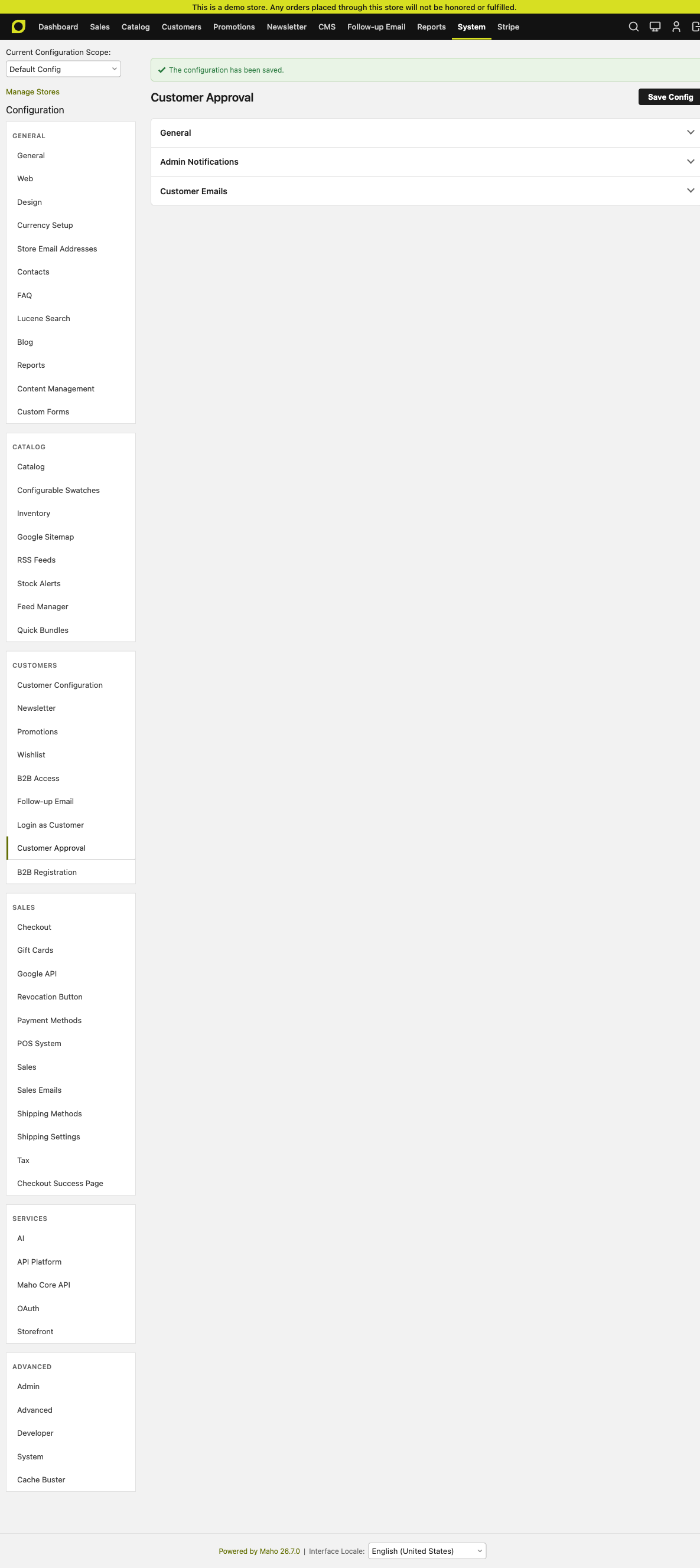
Config surface
| Field | Purpose |
|---|---|
| Enabled | Master switch. |
| New registrations require approval | When on, every new customer starts pending. Turn off if you only want the approval flow for B2B applications (in which case B2B Registration flags applications specifically). |
| Blocked-login message | Shown to a pending customer who tries to log in. |
| Notify these emails of pending accounts | CSV of email addresses that receive "you have a new application" notifications. |
| Email sender | Which store contact identity the mails come from. |
| Approved / rejected email templates | The system emails that fire on decision. Both have sensible defaults; override in System → Transactional Emails if you want branding. |
Admin queue
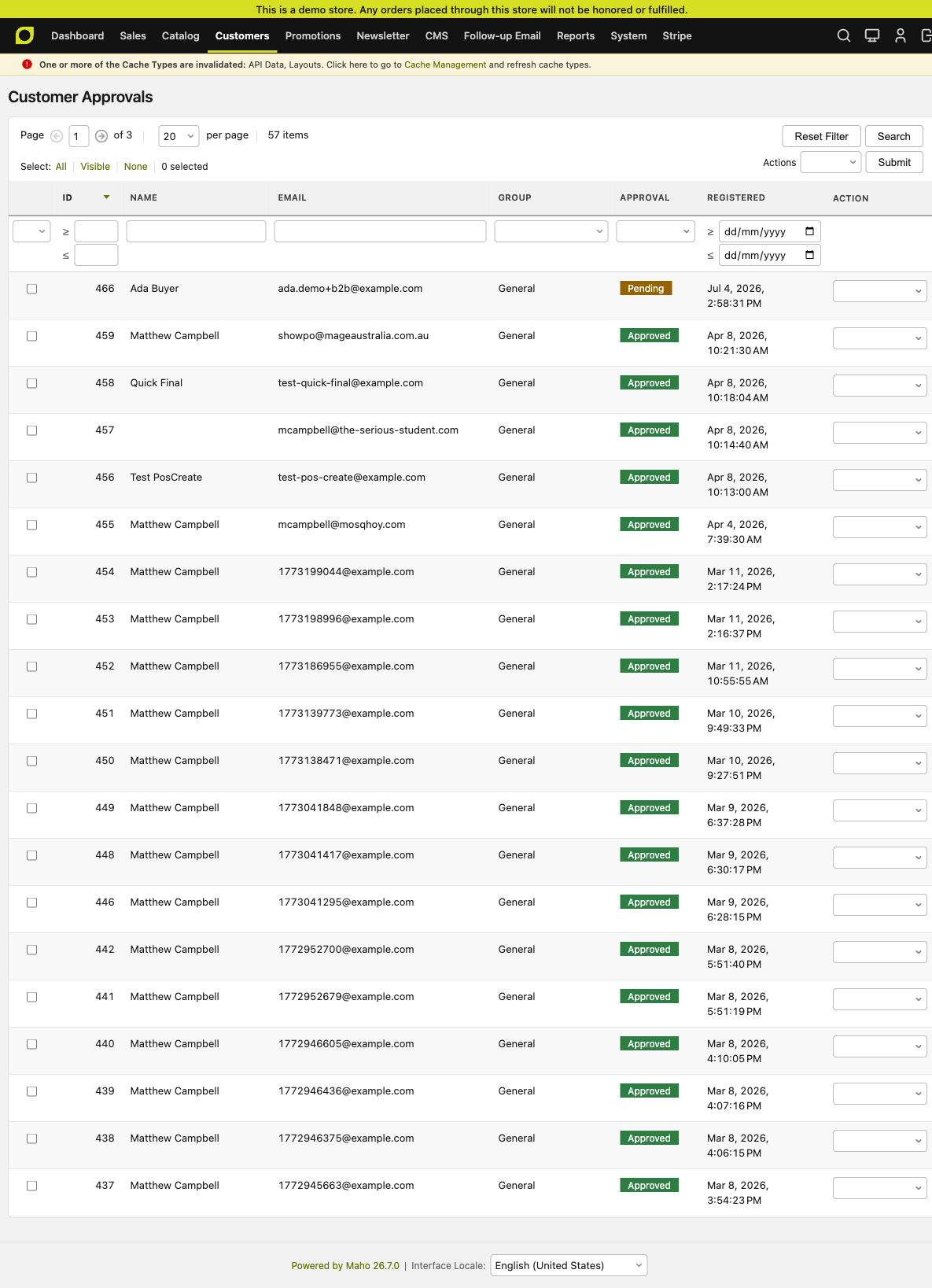
Approve / Decline are single-click. Both fire the corresponding email template. A rejected customer's record stays in place (soft state, not deletion) so an admin can flip the decision later.
Custom Forms
Path: CMS → Custom Forms → Manage Forms (+ Submitted Data grid). Config: System → Configuration → CMS → Custom Forms.
A general-purpose form builder — trade applications, contact us, event RSVPs, anything. The anti-spam pipeline is baked in so you don't have to bolt on reCAPTCHA for a basic form.
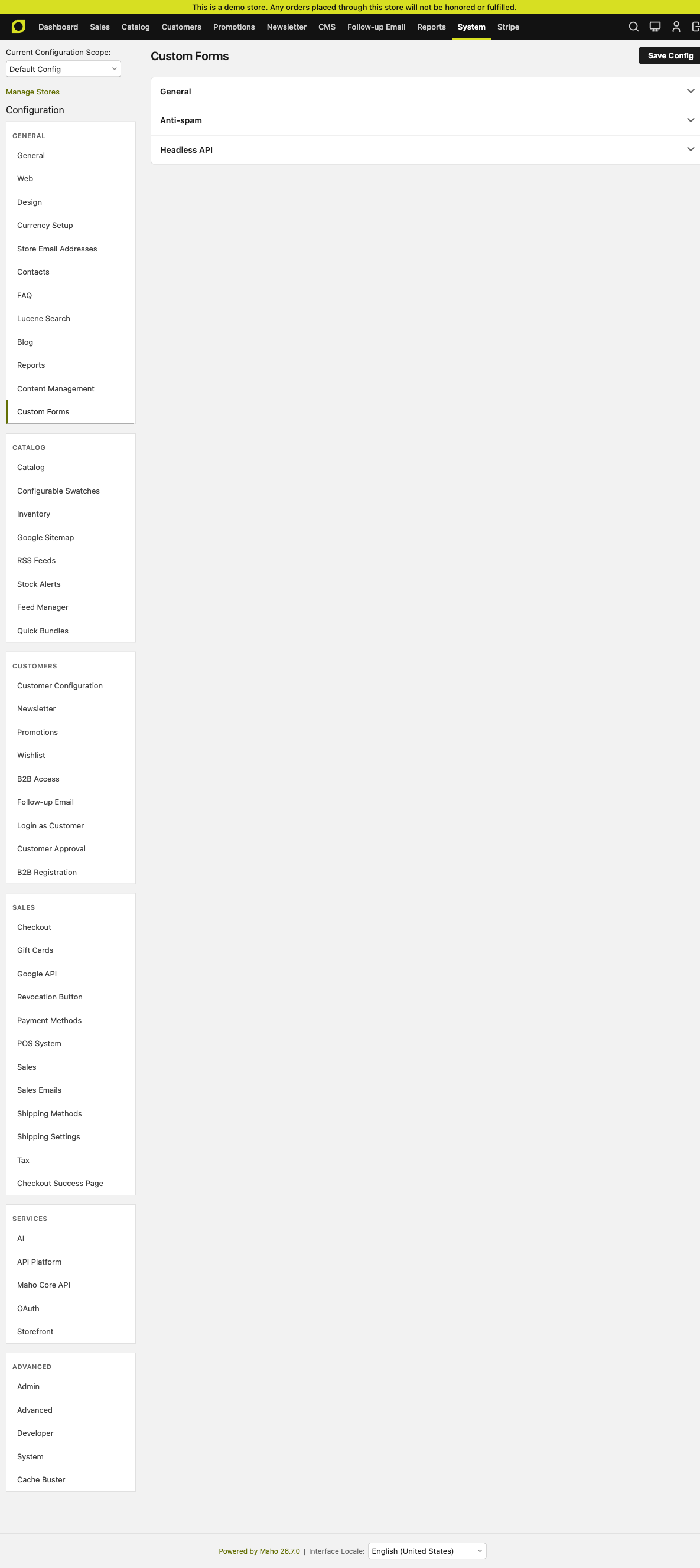
Config surface
| Field | Purpose |
|---|---|
| Enabled | Master switch. |
| Captcha | Optional Google reCAPTCHA. Off by default — most stores don't need it. |
| Honeypot | Hidden field bots fill in. Cheap; on by default. |
| Minimum fill time (seconds) | Reject submissions faster than this. Default 3s. |
| Rate limit per IP per hour | Default 20/hr. |
| Enable headless API | Exposes POST /api/customforms/… for headless storefronts. |
Forms grid
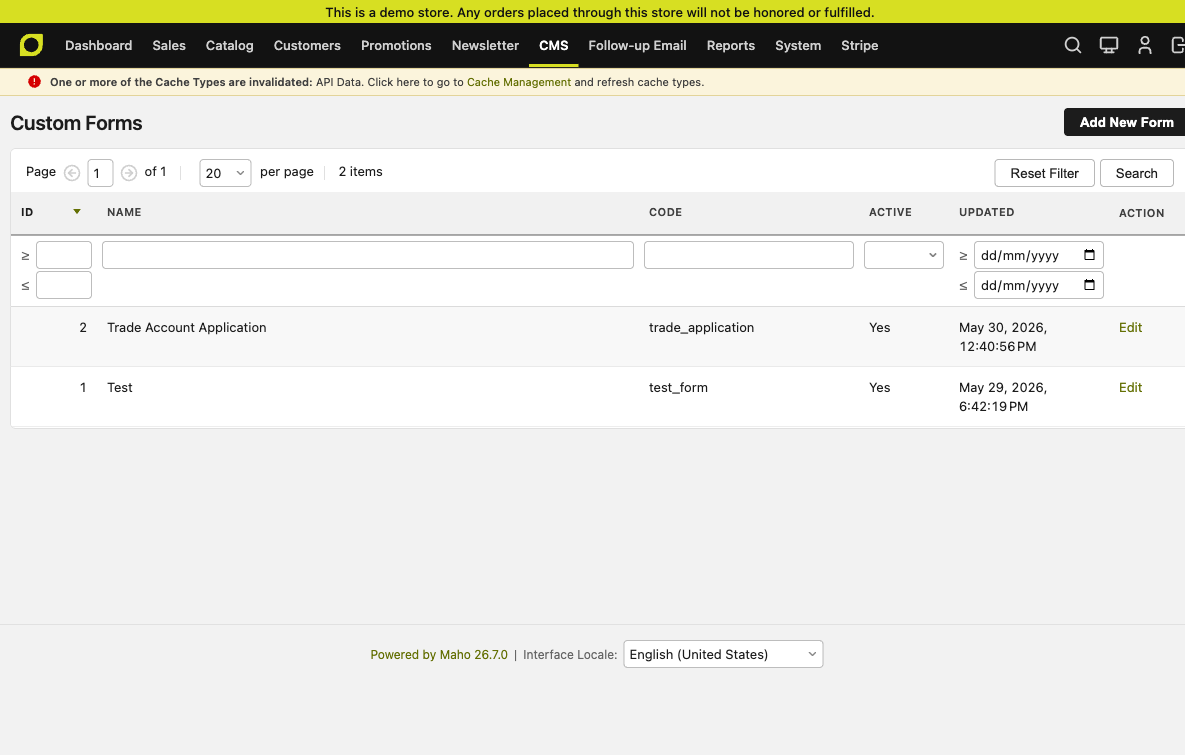
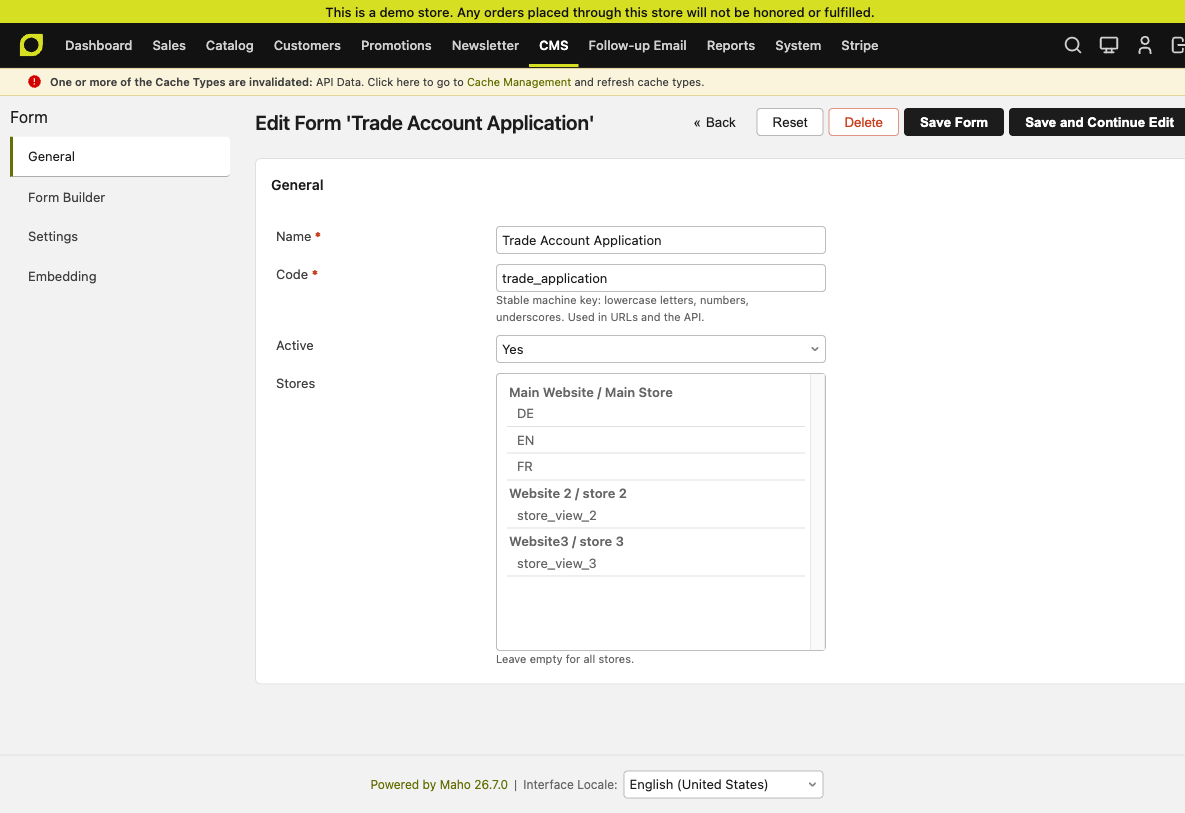
Form editor
Each form is a code + title + a list of fields. Fields have a type (text / email / tel / select / textarea …), an optional required flag, and a mapping key that becomes the payload attribute name.
Embedding on the frontend
Two lines of CMS content (wrapped in v-pre so VitePress doesn't try to render the Maho double-curly directive as a Vue expression):
{{block type="customforms/form" form_code="trade_application"}}
<div data-maho-form="trade_application"></div>
The block renders the server-side HTML; the data-maho-form marker is what the headless storefront looks for to re-hydrate the same form client-side.
Submission endpoint
POST /customforms/form/submit (server-rendered) or the JSON equivalent (headless). Both run the shared helper pipeline: anti-spam checks → validation → persist → customforms_submission_saved event → redirect back to the form so success / error messages render inline (post-redirect-get).
The event dispatch is the extension point — B2B Registration listens for it below.
B2B Registration
Path: System → Configuration → Customer → B2B Registration. Admin queue: Customers → Trade Applications.
The glue module. It listens for a Custom Forms submission on one of the nominated form codes and converts it into a pending customer account under Customer Approval — with the trade-application payload attached to the customer record.
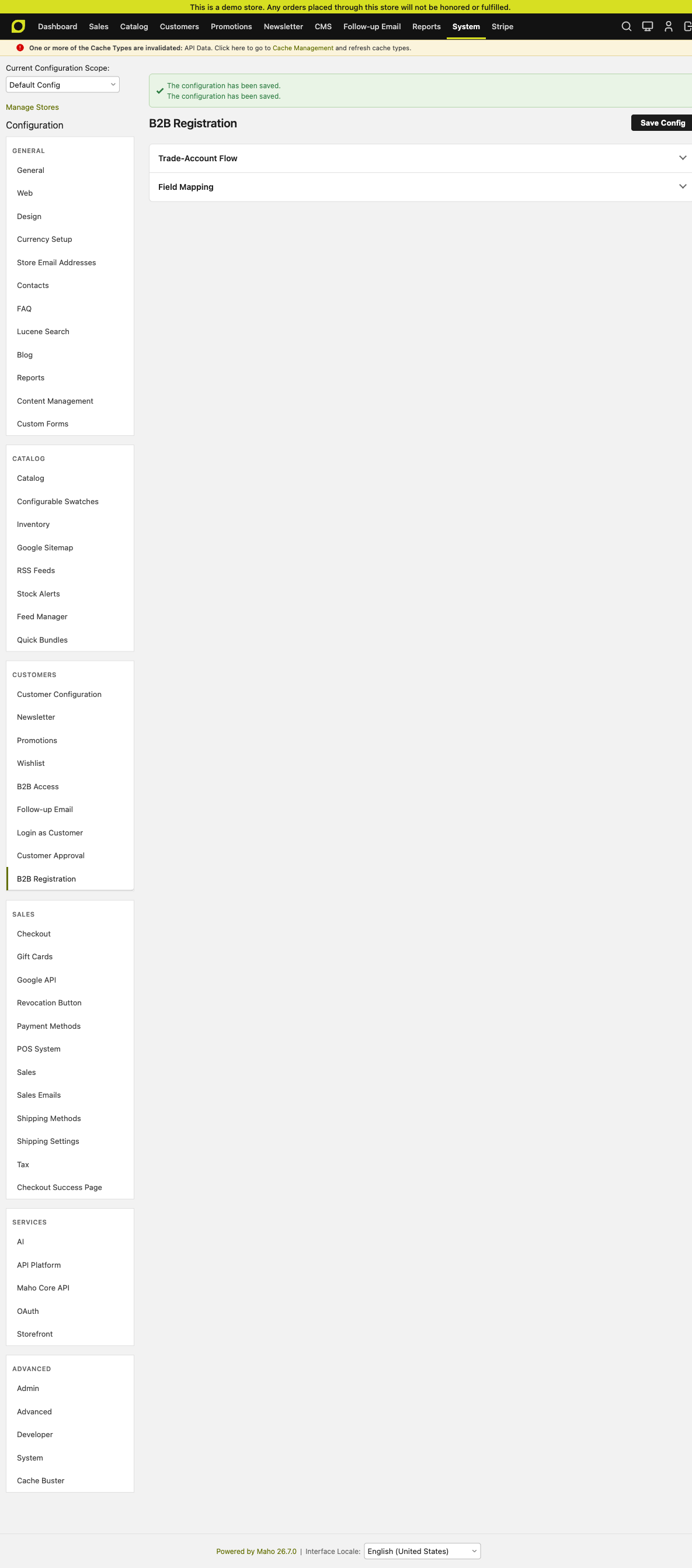
Config surface
| Field | Purpose |
|---|---|
| Enabled | Master switch. |
| Trade-application form codes | CSV. Only submissions matching these codes trigger the flow. Everything else stays a normal Custom Forms submission. |
| Email field key | Which form field carries the applicant's email address (used to create the customer). Default email. |
| B2B customer group (on approval) | The customer group approved trade accounts land in. Typically Wholesale. |
| Override map (JSON) | Optional per-field mapping if your form's field keys don't match Maho's customer attributes (e.g. {"phone":"telephone"}). |
Admin queue
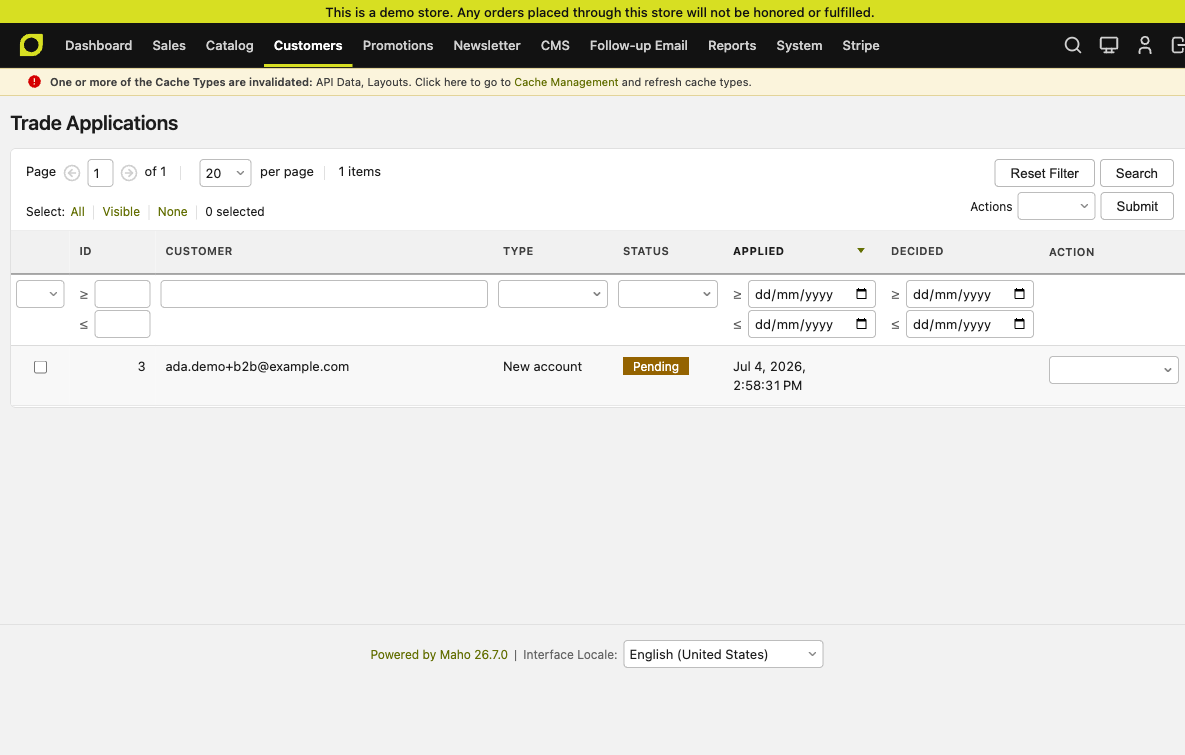
Approve / Decline here fires both the trade-application decision AND the Customer Approval flip — the two are linked. On approve the customer moves from pending to active AND their group flips from the default (usually General) to the B2B group configured above.
End-to-end walkthrough
The demo below runs against maho.tenniswarehouse.com.au with the four modules enabled and a trade_application form embedded on a CMS page at /trade-application.
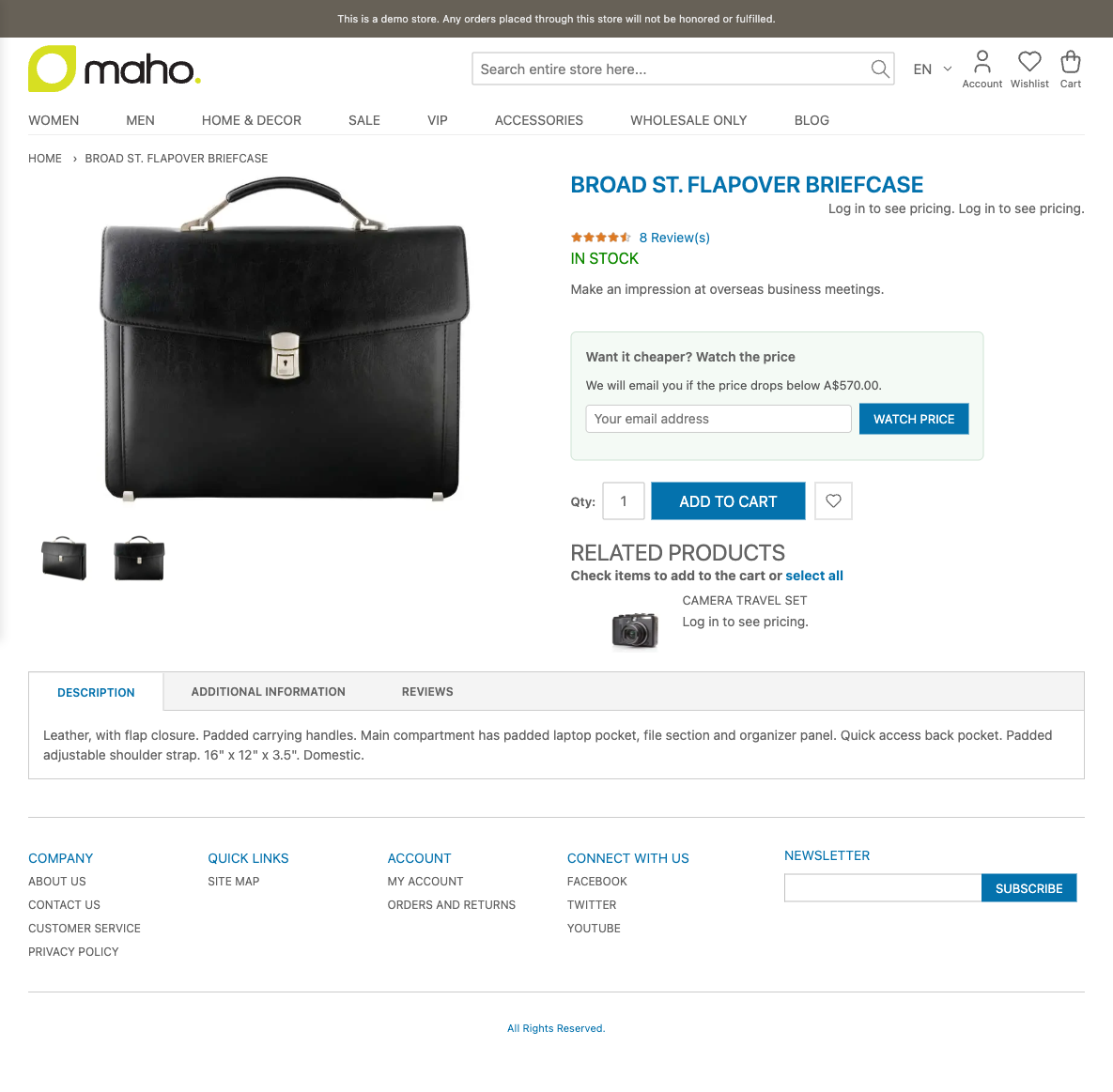
1. Guest visits a product page
Hide Prices is on for the NOT LOGGED IN group, so guests see the login prompt instead of a price. Add-to-cart is refused server-side too.
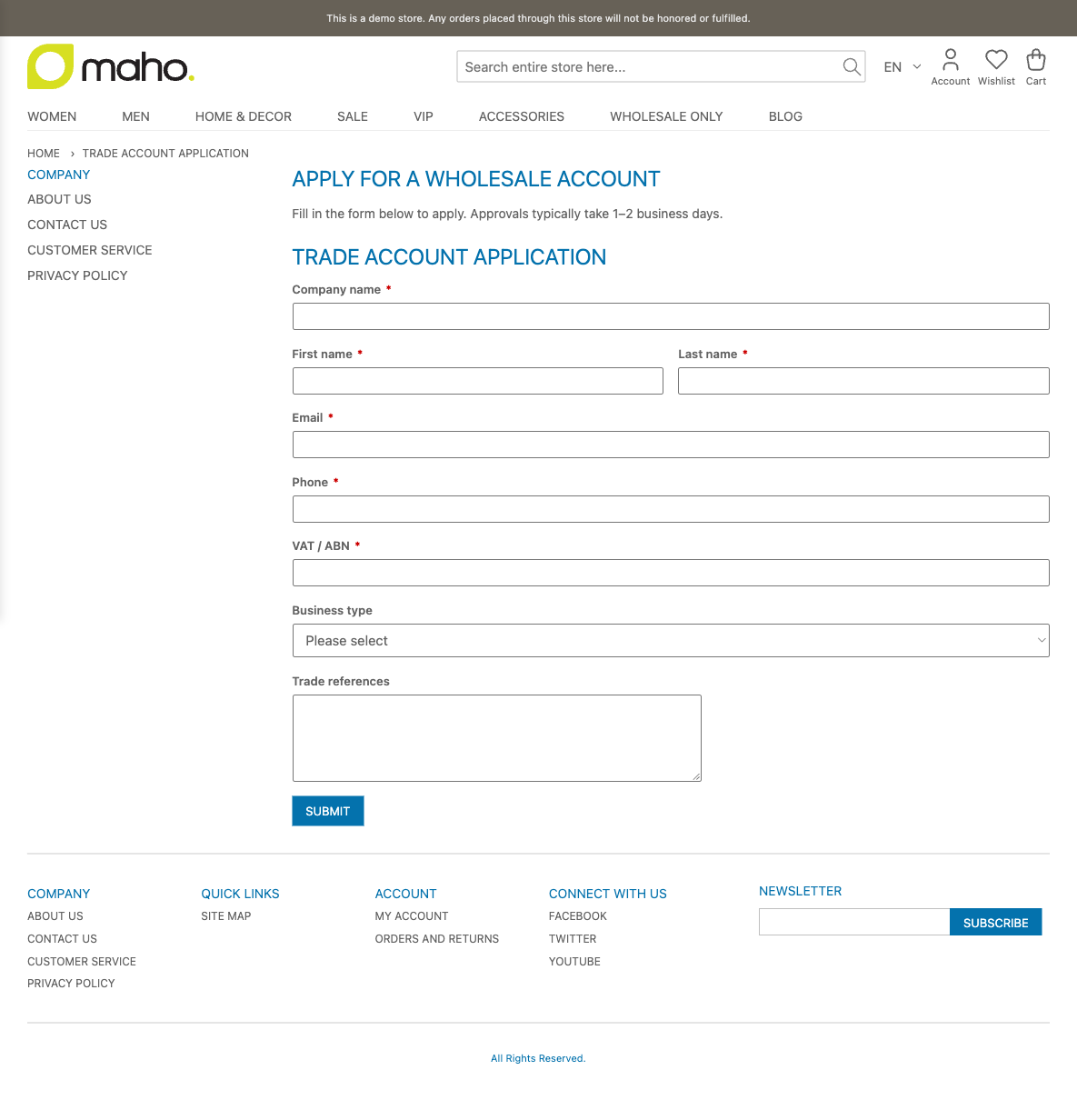
2. Guest visits the trade-application page
The CMS page renders the form via the customforms/form block. Fields are whatever you configured in the form editor.
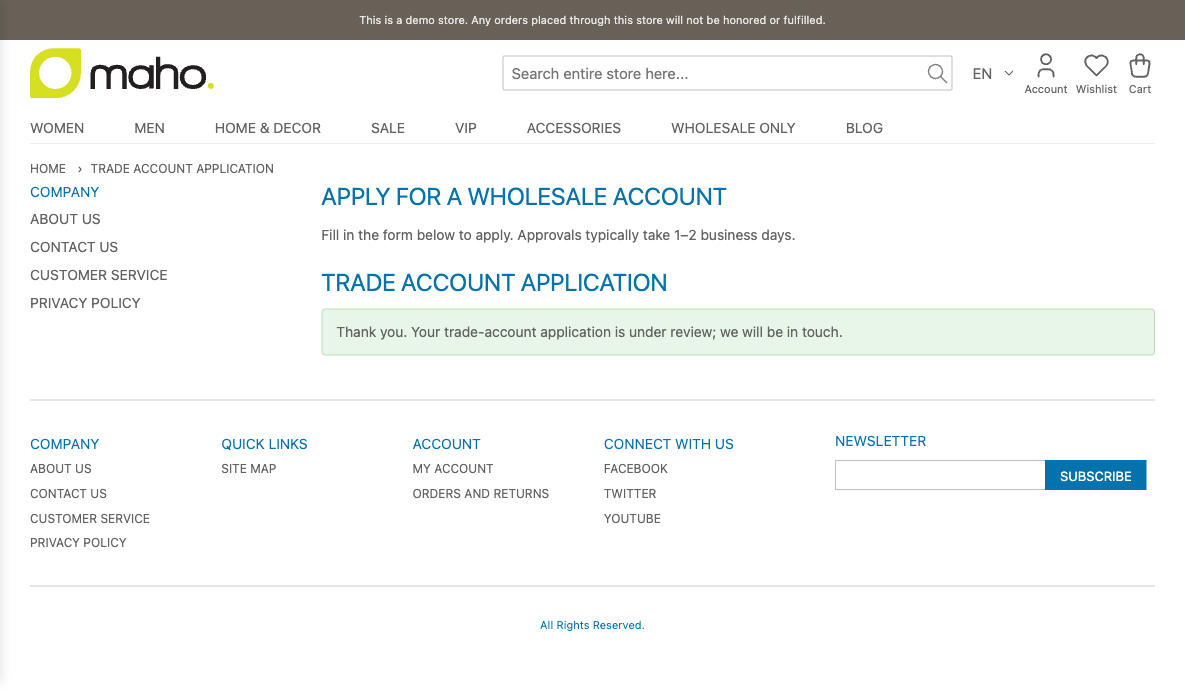
3. Guest submits the form
The Custom Forms anti-spam pipeline runs (honeypot + min-fill time + rate limit), then B2B Registration's observer fires on the customforms_submission_saved event and creates a pending customer.
4. Admin sees a new application
The row appears in Customers → Trade Applications with the applicant's email, application status, and Approve / Decline actions. Behind it in Customers → Customer Approvals the same customer shows as pending.
5. Admin clicks Approve
Two side-effects fire atomically:
- Customer Approval flips the customer's
is_approvedflag → login enabled. - B2B Registration sets the customer's group to the configured B2B group.
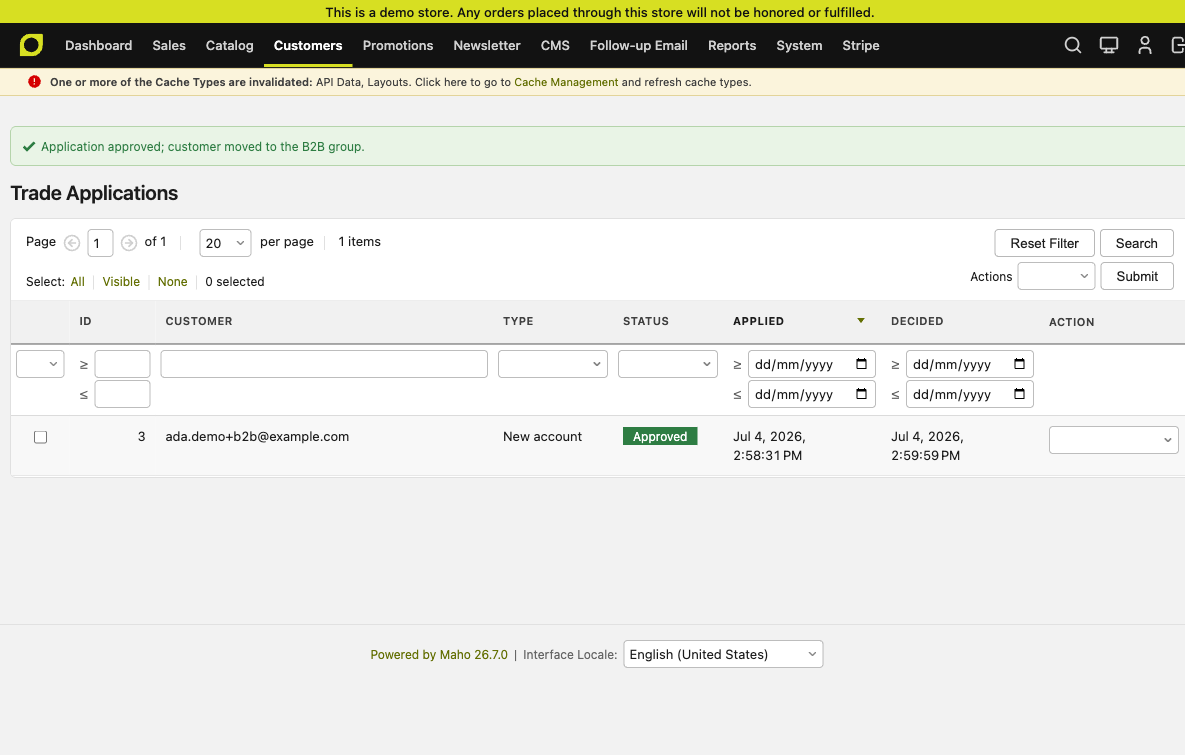
Approval + rejection emails from Customer Approval fire in the same transaction.
6. Approved customer logs in
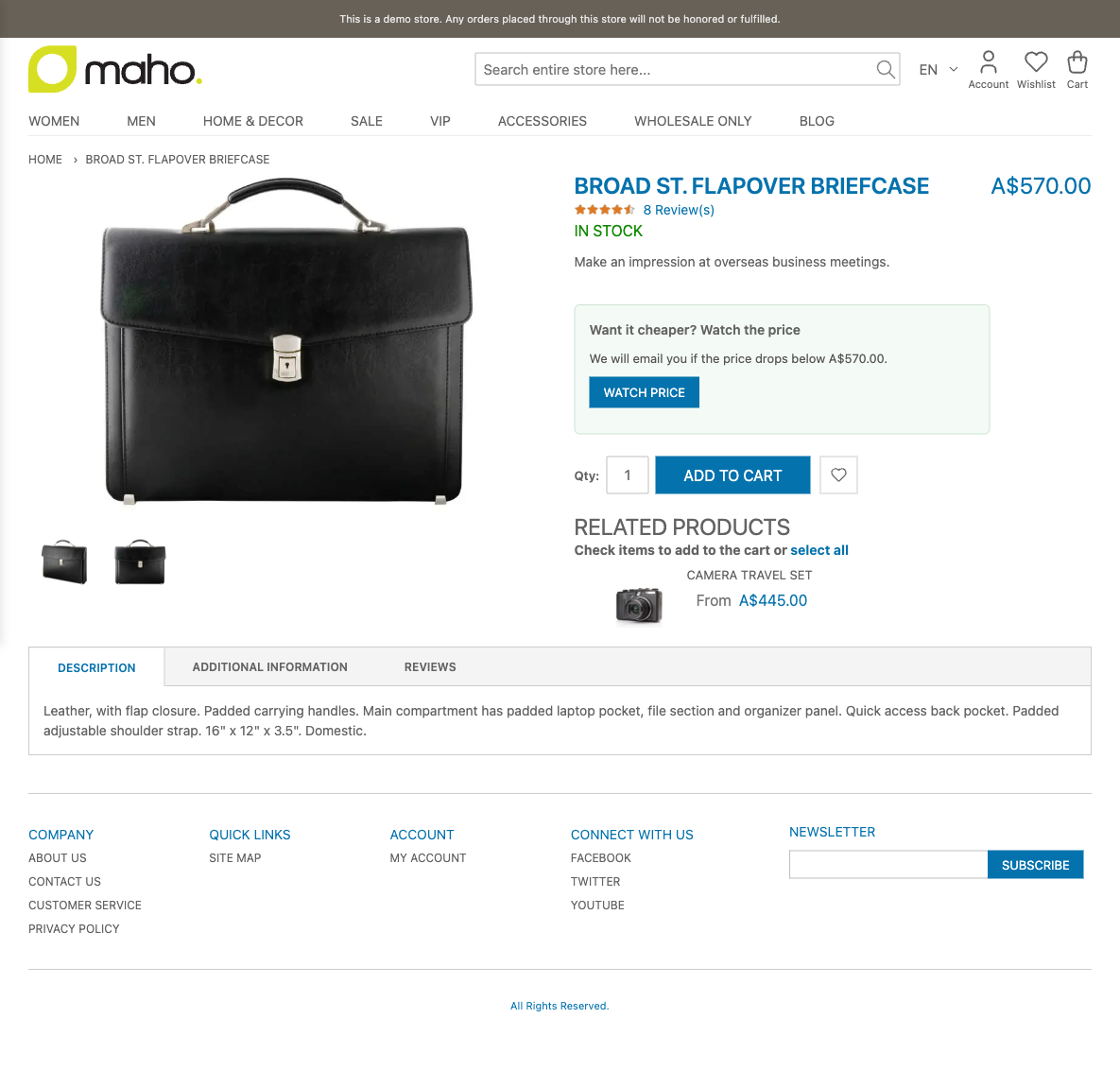
Because the customer is now in the B2B group, they escape the Hide Prices matrix — the same product page now shows the real price and a working add-to-cart button.
Ordering of enabled flags
The modules cross-reference each other's enabled flag, so:
- Enable Custom Forms first (nothing else works without it).
- Enable Customer Approval — everything you approve now takes the pending → active path.
- Enable B2B Registration — trade submissions become pending customers.
- Enable B2B Access last — you don't want to gate the site before you've built the mechanism to admit people through the gate.
Turning any one off doesn't cascade — the others keep working, just without that responsibility handled.
Headless storefronts
Status as of 2026-07-04: all four modules reach the headless storefront. The integration follows the pattern documented in B2B Integration Pattern.
- B2B Access — live. The catalog API annotates each product DTO with an
extensions.b2bAccess.gateFlagsblock containingrequiresLogin/hidePrice/canCheckout, and withholdsprice/finalPrice/specialPrice/minimalPricewhenhidePriceis true. The storefront'ssrc/plugins/b2b-access/sync.tsprobesGET /api/rest/v2/b2b/access/configat sync time and registers a plugin manifest; theGatedPricecomponent reads the flag at render and swaps in the login prompt. - Custom Forms — live.
GET /api/rest/v2/custom-forms/{code}returns the schema;POST /api/rest/v2/custom-form-submissionsruns the same anti-spam pipeline as the browser endpoint. The trade-application form on the storefront is fed by these routes. - Customer Approval — live. The JWT token endpoint refuses to issue a token for a pending customer, so a headless login attempt gets the right error.
- B2B Registration — live. The observer fires the same way on either the browser submit path or the headless one, so a trade application from an embedded storefront form lands as a pending customer just like a stock Maho form submit does.
End-to-end test results
The four tests exercised against demo.mageaustralia.com.au (backed by the staging install):
| Test | What | Result |
|---|---|---|
| A. Guest PDP | Fresh incognito → /flapover-briefcase | ✅ Renders "Log in to see pricing" in place of $570; freshness re-check preserves the gate. |
| B. Wholesale customer PDP | Sign in as [email protected] (group=Wholesale) → same PDP | ✅ Client-side freshness re-fetch forwards the customer's JWT, gets finalPrice: 570, and swaps the gate for the real price. (SSR still uses the guest-view KV; the swap happens on load, causing a brief gate flash.) |
| C. Disable module + resync | Set b2baccess/general/enabled = 0, resync, revisit as guest | ✅ Gate disappears, $570 renders. Re-enable + resync restores gate. |
| D. Backend contract | curl config endpoint + product endpoint as guest + as JWT | ✅ Guest gets hidePrice: true, price: null; Wholesale JWT gets hidePrice: false, price: 570. |
The load-bearing fix that made B work was ferrying the API caller's group through the event dispatch: mageaustralia/maho#19 adds customer_group_id to the api_product_dto_build event, and maho-module-b2b-access PR #4 consumes it in the observer.
Known follow-ups
- SSR-time per-caller data would remove the brief gate-flash before the freshness controller re-fetches with the customer's JWT. Two paths: either the storefront SSR fetches the current URL with the customer's auth token instead of reading KV, or the sync maintains per-group KV variants.
- Add-to-Cart suppression for
canCheckout: false: the flag is on the DTO but the button isn't hidden yet. Backend rejects any actual cart mutation via the existing observer, so this is UX-only. - Card variants (
CardStandard,CardMinimal,CardHorizontal,CardFeatured) render empty prices for gated products.formatPrice(null)returns an empty string, which looks broken rather than showing a login prompt on category grids.
Verifying the B2B Access integration
Against demo.mageaustralia.com.au (backed by maho.tenniswarehouse.com.au):
$ curl -s https://maho.tenniswarehouse.com.au/api/rest/v2/b2b/access/config -u USER:PASS | jq .enabled
true

$ curl -s https://maho.tenniswarehouse.com.au/api/rest/v2/products?urlKey=flapover-briefcase -u USER:PASS \
    | jq '.member[0] | {price, finalPrice, extensions}'
{
  "price": null,
  "finalPrice": null,
  "extensions": {
    "b2bAccess": {
      "gateFlags": { "requiresLogin": false, "hidePrice": true, "canCheckout": false },
      "hiddenPriceMessage": "Log in to see pricing."
    }
  }
}
The storefront's PDP for that product renders "Log in to see pricing" in place of the price. Logging in as a Wholesale-group customer causes the catalog API to return the real price and the storefront to render it.
Next in the roadmap
The 4 modules above are the foundation tier. The next tier — one Company hub that maps organisations onto customer groups + a per-company pricing module that solves the "one customer group, N different customers, N different price lists" problem — is planned in maho-b2b-suite/PLAN.md in the modules repo. The design deliberately makes Company a soft dependency: everything above keys on customer group today, and gets richer (per-company scoping, sub-users, on-account payment) when Company is present.